Adding a User or Group to Catalog Roles
App Portal 2021 R1
To enable permissions to see and manage the App Portal catalog, perform the following steps:
To assign catalog permissions:
| 1. | On the Admin tab, open the Site Management > Catalog Security view. |
| 2. | To add a user or group, click the Add User/Group button. The following dialog box opens: |
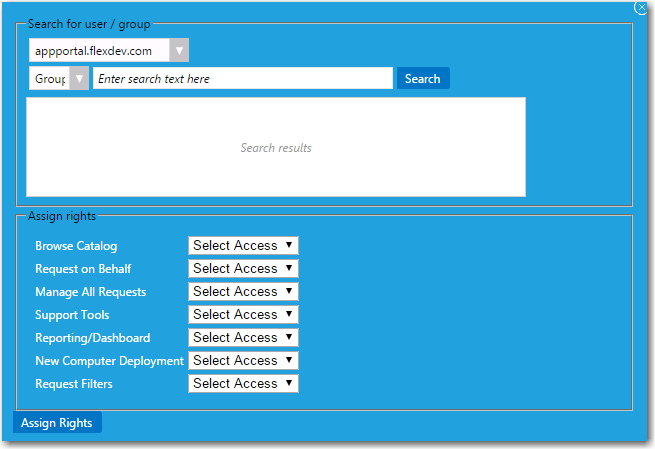
| 3. | Use the search fields to locate the user or group that you want to add. |
| 4. | Select the appropriate permissions from the Assign rights fields for each listed role, as described in Catalog Security. |
| 5. | Click Assign Rights to add the user or group. |
See Also