Creating a New Expression
To define a new expression, perform the following steps:
To define an expression:
| 1. | On the Admin tab, open the Expressions subview of the Site Management view. The Expressions view opens. |
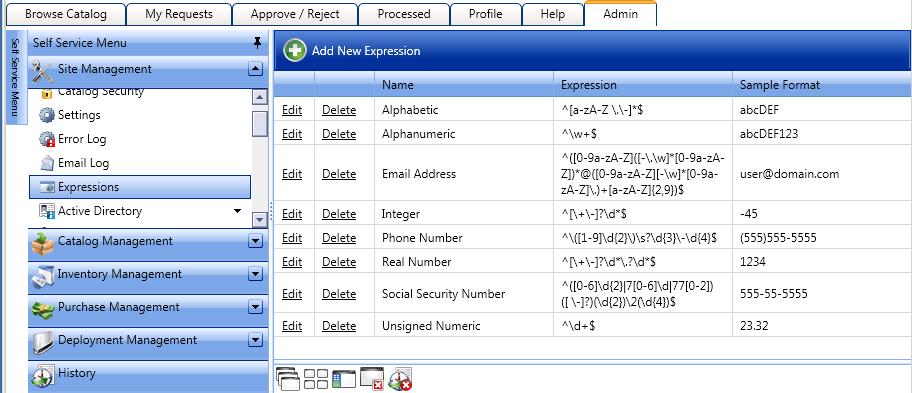
| 2. | Click Add New Expression. The following form opens: |
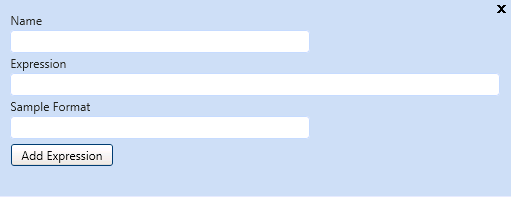
| 3. | In the Name field, enter a descriptive name for this new validation expression. The name that you enter here will identify this expression in the Answer Format list on the Create New Question dialog box. |
| 4. | In the Expression field, enter an expression that will validate the user-entered response to its associated question. For example, if the question asked the user to input their zip code, the expression must check to see if the user enters 5 numeric characters. |
Important:For information on writing JavaScript regular expressions, see the Regular-Expressions.info site at:
http://www.regular-expressions.info/javascript.html
| 5. | In the Sample Format field, enter the format that the expression validates. This value will be displayed under the form field requiring validation. |
| 6. | Click Add Expression. |
See Also