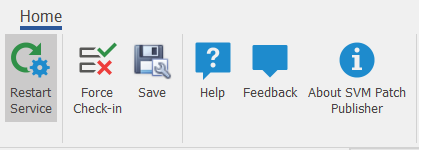
Toolbar in the SVM Patch Publisher
The SVM Patch Publisher has the following ribbon buttons:
|
Buttons |
Description |
|
Restart Service |
Click to restart the daemon service for the changes to take effect. Upon clicking this button, the state of the service is checked. |
|
Fore Check-In |
Click and the pull the subscribed packages without waiting for the schedule time from the server for the Daemon service to execute. |
|
Save |
Click to save the changes to the settings file. |
|
Help |
Click to open the SVM help library. |
|
Feedback |
Used to provide ideas and / or suggestions. |
|
About SVM Patch Publisher |
Click to launch the SVM Patch Publisher window and view the information about the tool. |