Delete Connections
To delete Distribution System connections, perform the following steps.
To delete connections:
|
1.
|
On Patching menu, click Distribution System Connections in the left pane. |
The Distribution System Connections page appears with connection details.
|
2.
|
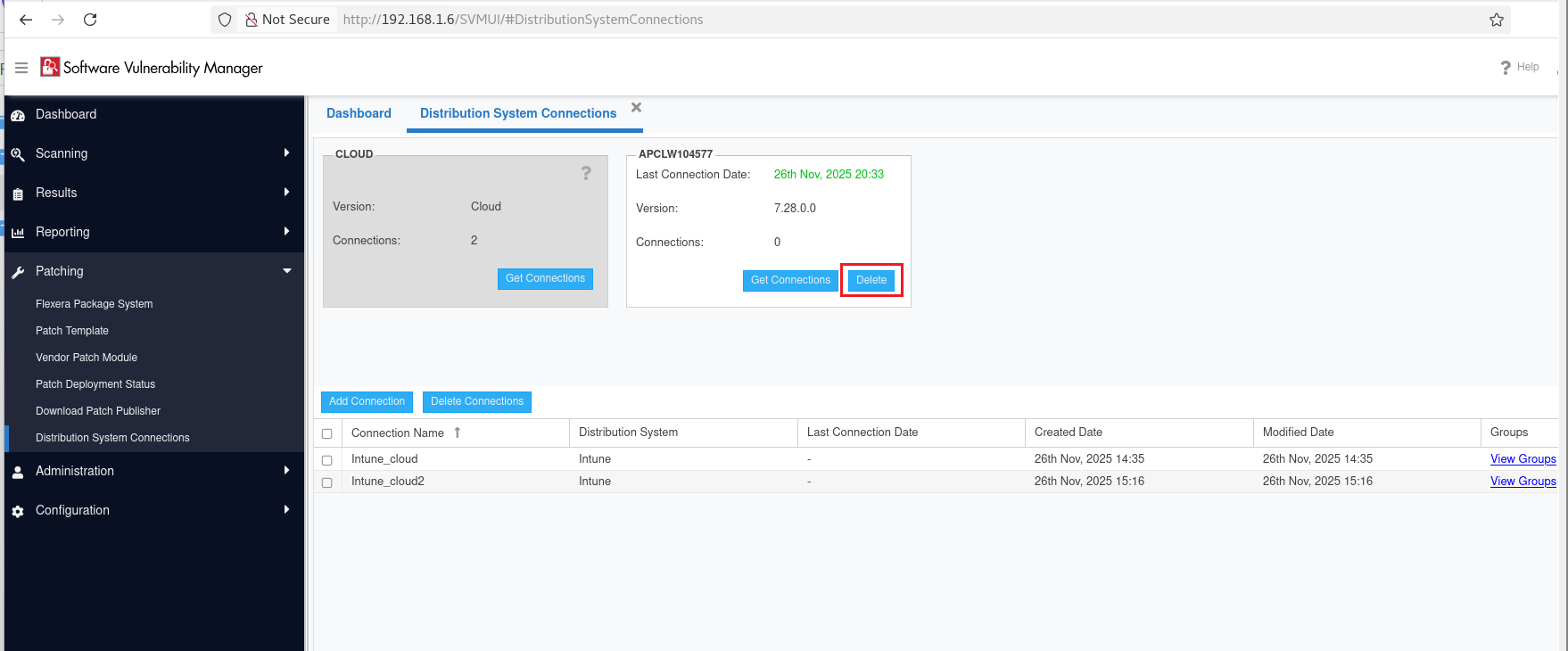
Select the desired connection and click on Delete button. |
|
3.
|
Select Yes or No to confirm whether or not to delete the connection. |
|
4.
|
Confirm the deletion by clicking Yes in the popup. |
To delete Independent connections, perform the following steps.
To delete independent connections:
|
1.
|
On Patching menu, click Distribution System Connections in the left pane. |
The Distribution System Connections page appears with connection details.
|
2.
|
Select the desired connection and click on Get Connections to get the connection details. |
|
3.
|
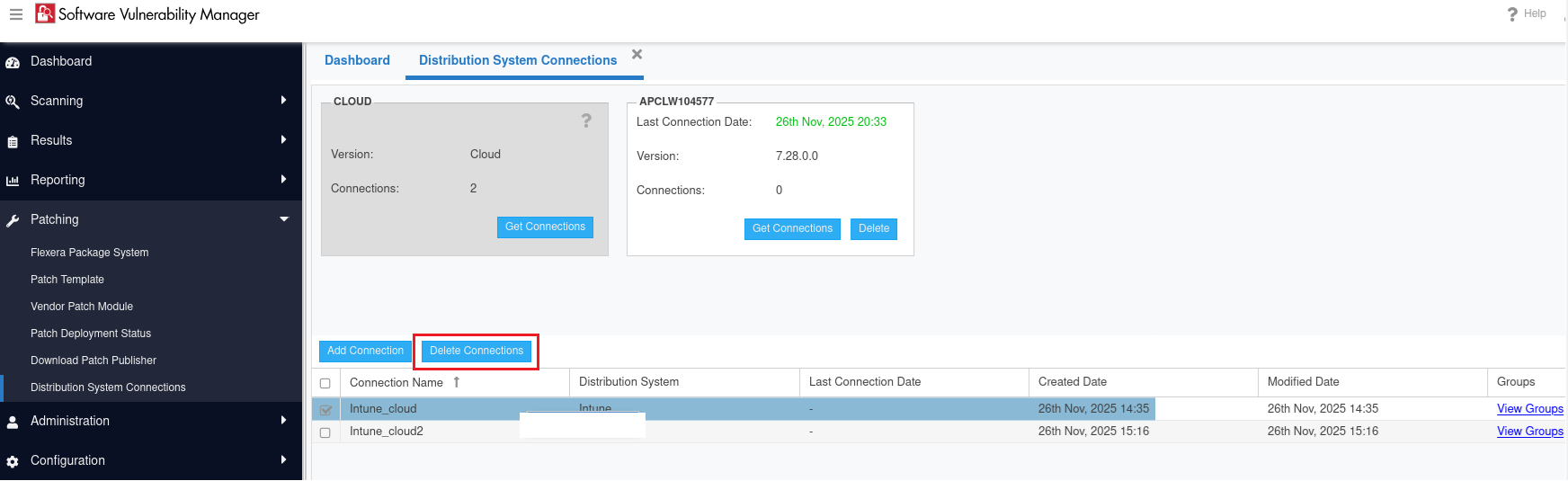
In the grid, select the required independent connections that you want to delete. |
Note:You can select multiple connections (if required).
|
4.
|
Click on Delete Connections button. |
|
5.
|
Select Yes or No to confirm whether or not to delete the connection. |
|
6.
|
Confirm the deletion by clicking Yes in the popup. |