Manage Deployments
Important:The Manage Deployments panel is available only for Config Manager publishing.
This Manage Deployments panel appears only when you check as Yes in the Connection Details panel.
Add the required deployment details for the selected Config Manager connection(s).
Click the Next button.
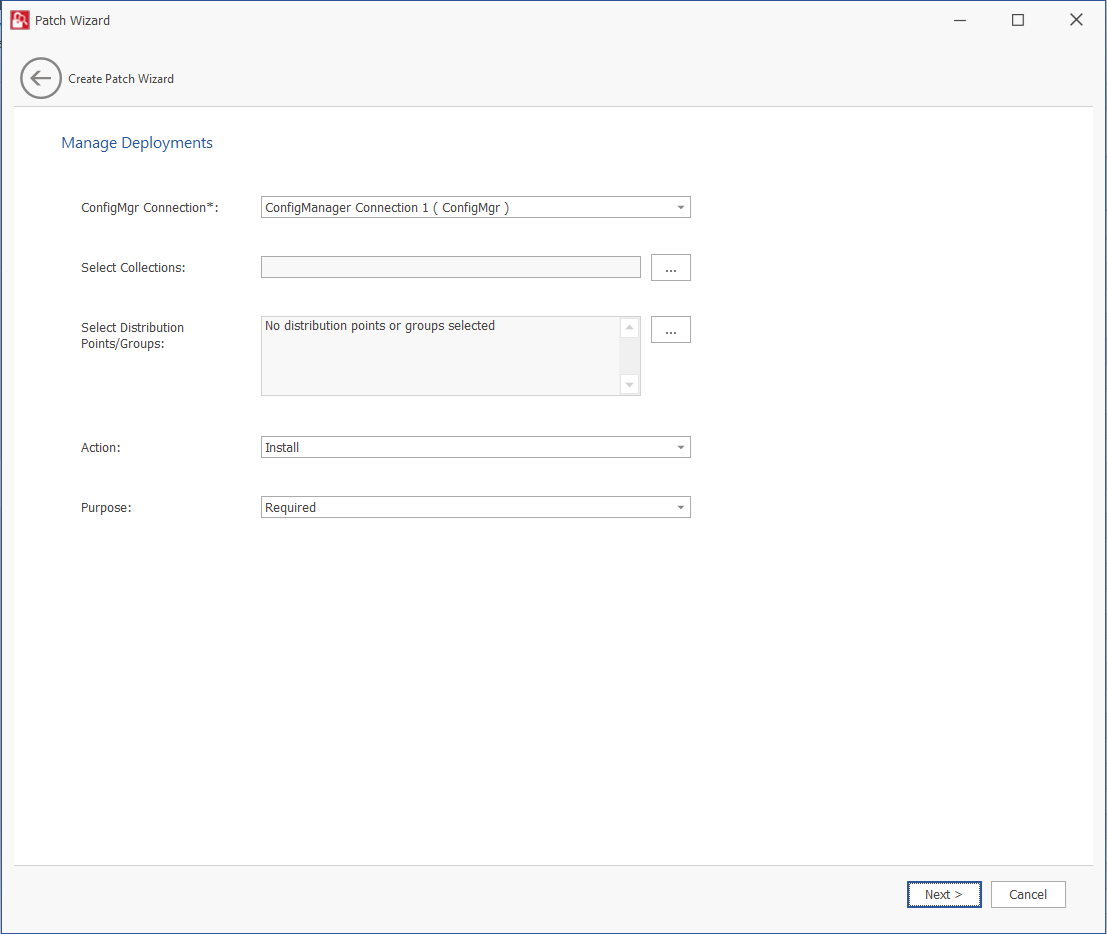
The Manage Deployments panel includes the following properties:
|
Property |
Description |
||||||
|
ConfigMgr Connection |
Click the drop down and select a configured ConfigMgr connection from the list. |
||||||
|
Select Collections |
Click click ellipses (…) button. The Select Collection dialog appears. The Select Collection dialog includes two sub tabs:
Select the required collections from the respective tabs. You can also select the required collections by enter keywords in the Search text box, and then click Search button to display matching entries in the grid. |
||||||
|
Select Distribution Points/Groups |
Click click ellipses (…) button. The Select Content Destination dialog appears. The Select Content Destination dialog includes two sub tabs:
Select the required Distribution Points/Groups from the respective tabs. You can also select the required collections by enter keywords in the Search text box, and then click Search button to display matching entries in the grid. Note:Multiple selections are allowed. You can select both Distribution Points and Distribution Groups at the same time. |
||||||
|
Action |
Select one of the following:
|
||||||
|
Purpose |
Select one of the following:
|