View Connection Details
To view connection detailss, perform the following steps.
To view connection details:
| 1. | On Patching menu, click Distribution System Connections in the left pane. |
The Distribution System Connections page appears with connection details.
| 2. | Select the desired connection and click on Get Connections to get the connection details. |
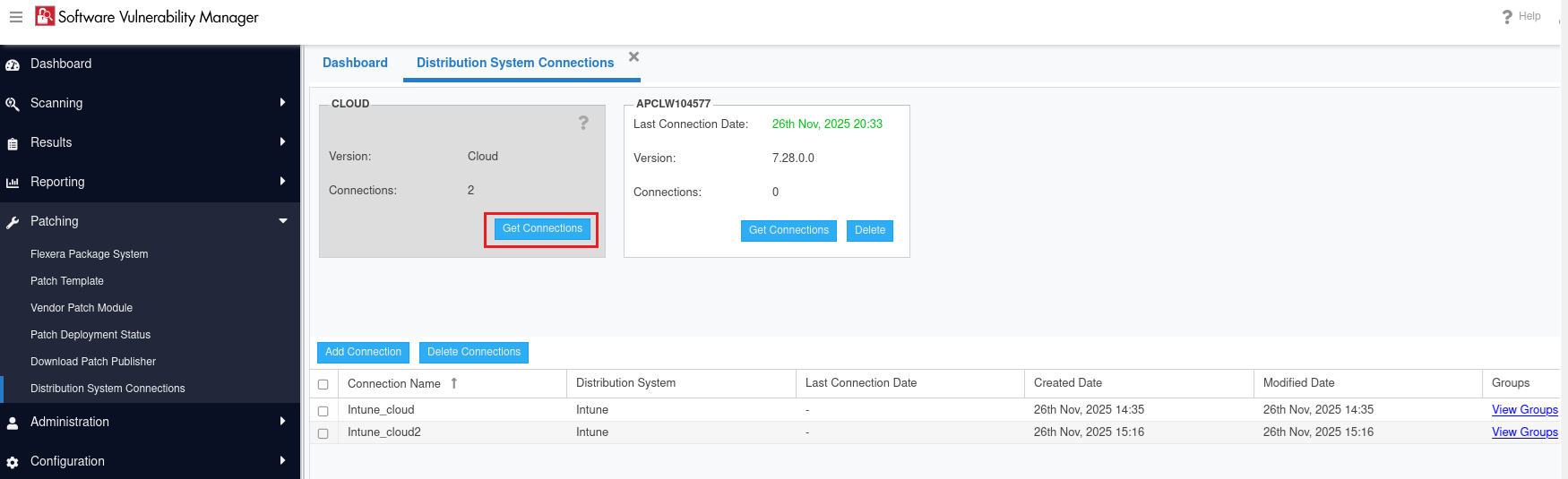
| 3. | All available connections will be displayed in the grid. |