Managing Process Settings
Data Platform
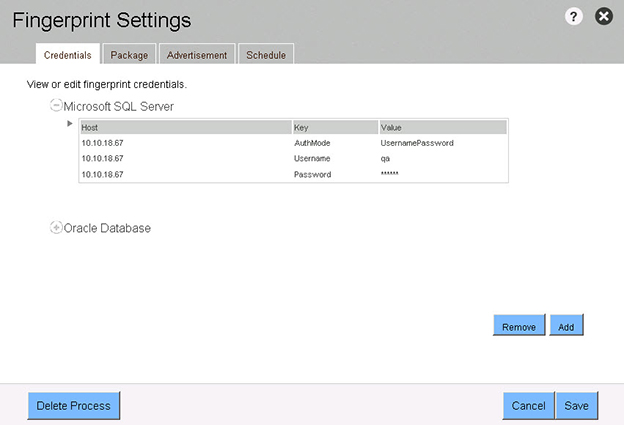
Process settings for a Fingerprints process were organized under Credentials, Package, Advertisement, and Schedule tabs.
Note:Fingerprints are no longer available.
Viewing and Editing Credential Settings
The Credential settings provides the following information about the selected process:
| • | Database Information—Read-only information about the database Host, Key, and Value. |
| • | Add—Click the Add button to open a dialog to enter the following information: Database Credential Type, Host, Username, and Password. |
| • | Remove—Click the Remove button to delete a specific database credential. |
To view and edit Credential settings:
| 1. | Click the Settings link located on the right-side of the process Overview pane. |
| 2. | Click the Credential tab. |
| 3. | To edit the settings, make any changes and then click Save. |
| 4. | To close the dialog box, click the X in the upper-right corner of the dialog. |
Fingerprint Process Settings—Credentials (no longer available)