Raw Report
A Raw report shows individual usage events, not a summary of license usage. In general, a Raw report gives you one line of data for every license checkout, listed in chronological order of checkin. Raw reports can help you troubleshoot license server activity. For example, you may want to analyze the nature of certain denial or exception events.
The following figure shows an excerpt from a Raw report.
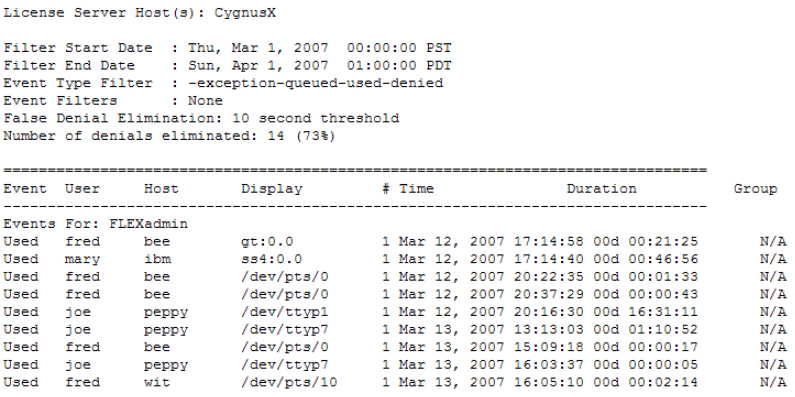
Raw report
The columns in the previous report are, from left to right: event type (Used, Denied, Queued, Exception), User, Host, Display, # (count), Time (checkout time), Duration (duration of checkout), and Group. You can specify the fields you want to appear in the report during Step 4 of the Create Report Configuration wizard.
For descriptions of the available fields, see the FlexNet Manager for Engineering Applications Help Library.