Edit Connection
Note:This feature is supported for the Cloud connection.
To modify connection details, perform the following steps.
To modify an existing connection:
| 1. | On Patching menu, click Distribution System Connections in the left pane. |
The Distribution System Connections page appears with connection details.
| 2. | Select the desired connection and click on Get Connections to get the connection details. |
| 3. | In the grid, right-click on the required connection, and select Edit Connection from the context menu. |
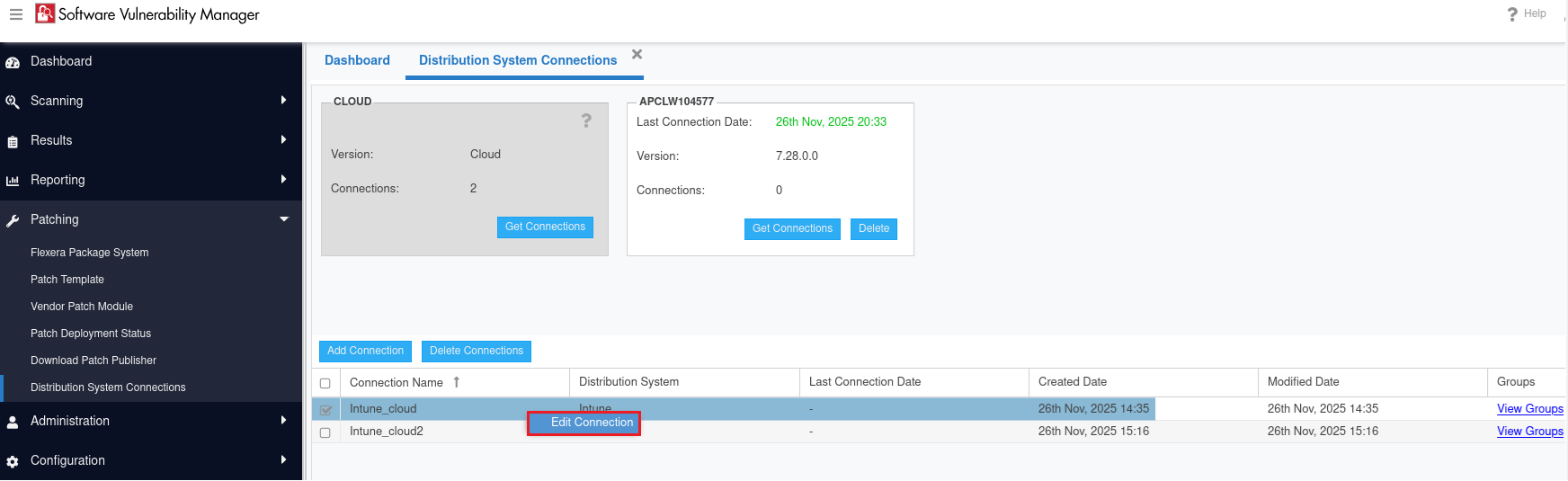
The Edit Connection dialog box appears.
| 4. | Modify as necessary and click Test Connection button to ensure the settings you entered and then click Update Connection button to update the modified changes. |
For more information, follow the steps as described in Add Connection.